
Augmented Reality for Warehouses and Field Service
Discover how AR for warehouse and field service guides picking, maintenance, inspections and remote expert help, with real deployment results and hardware guidance.
Key Takeaways
- AR for warehouse and field service overlays live instructions on shelves and machines, so workers act without looking away from the job.
- DHL reported a 15 percent productivity gain and an error rate of 0.1 percent after rolling out vision picking.
- Phone and tablet AR suits pilots and inspections, while rugged smart glasses suit hands free picking and noisy field work.
- Successful rollouts start small, connect AR to the warehouse management system, and train workers on real tasks.
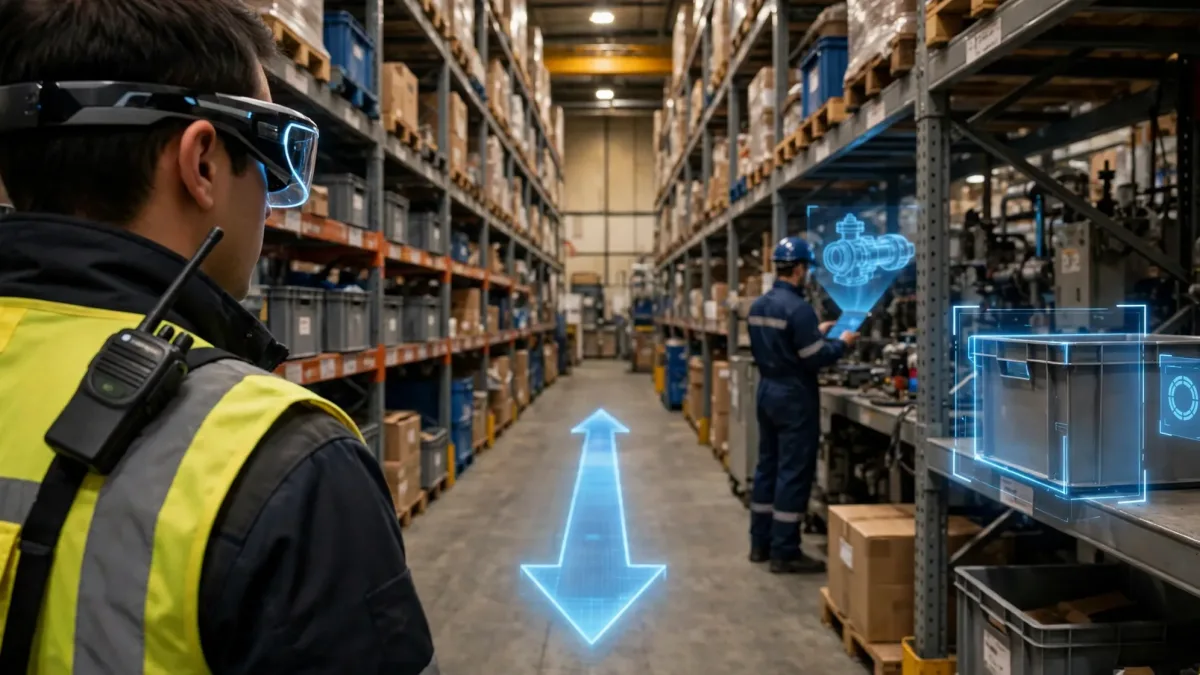
AR for warehouse and field service puts step by step guidance directly in a worker's line of sight, so picking, maintenance, inspections and remote expert help happen faster and with fewer mistakes. Instead of reading paper sheets or checking a handheld screen, workers see arrows, labels and instructions overlaid on the real shelves and machines in front of them. This guide explains how the technology works, what real deployments have achieved, which hardware fits each job, and how teams can roll it out without disrupting daily operations. Warehouse managers, field service leaders and operations teams will find practical steps they can apply to their own sites, whether they run a single depot or a network of facilities. It also shows how to avoid the mistakes that stall most first deployments.
What Is AR for Warehouse and Field Service?
AR for warehouse and field service is the use of augmented reality to overlay digital instructions, labels and live guidance onto physical shelves, machines and work sites. A picker wearing smart glasses sees which aisle to walk to, which bin to open and how many items to take. A field technician looking at a pump sees the next repair step, anchored to the equipment itself. The same idea powers retail, where shoppers preview products in their own space, as shown in our guide to augmented reality in retail.
Vision picking guides order picking in the warehouse. Assisted maintenance walks technicians through repairs and inspections with visual steps. Remote expert help connects a worker on site with a specialist elsewhere, who sees the same view and draws annotations onto it. According to AR Insider, DHL Supply Chain deployed TeamViewer Frontline software on RealWear headsets, integrated with its warehouse management system, and achieved a 15 percent productivity boost while cutting error rates to 0.1 percent.
How Does AR for Warehouse and Field Service Work?
AR for warehouse and field service works by connecting a task from a business system to a visual display that a worker can see while working. In a warehouse, the warehouse management system sends the next order. The application turns that order into a route through the aisles and highlights the correct shelf, bin and quantity. The worker confirms each pick by voice command or by scanning the item, and the confirmation returns to the warehouse management system at once, keeping inventory records accurate.
In field service, the flow starts with a job card or a maintenance schedule. The technician opens the job on a phone, tablet or headset, and the AR application recognises the equipment from a code on the machine or from its shape, then loads the matching procedure. Each step appears in order, with the part highlighted on the real machine. When a problem goes beyond the written procedure, the technician starts a remote expert call, and the expert annotates the live view to point at the exact component.
Behind the display, three layers do the work. The device layer captures the camera view and shows the overlay. The connectivity layer, usually warehouse Wi-Fi or a mobile network, carries tasks and confirmations. A 2026 survey in the International Journal of Advanced Computer Science and Applications reviewed 95 studies from 2014 to 2025 and reported average task completion time reductions of 38 percent and error decreases of 92.4 percent.
What Are the Benefits of AR for Warehouse and Field Service?
AR for warehouse and field service delivers its clearest benefits in accuracy, speed and training. Pickers guided by visual cues make fewer wrong picks, because the system shows the exact bin and checks the item. Maintenance technicians follow the correct sequence, because each step waits for confirmation. New starters become productive sooner, because the guidance teaches the job while they do it.
The measured results back this up. Modern Materials Handling reported that a DHL Supply Chain facility in Lockbourne, Ohio, reached inventory accuracy of 99.96 percent with vision picking, and training that once took up to two weeks fell to about an hour. TeamViewer reports that Coca-Cola HBC reached 99.99 percent picking accuracy with vision picking.
Training gains deserve special attention, because staff turnover is a constant pressure. A 2026 study in Applied Sciences found that AR based instruction increased training transfer by 33.61 percent compared with paper based instruction, with the biggest gains on the most demanding tasks. Simulated practice helps too: our article on VR training simulations explains how simulated practice builds confidence before workers touch real equipment.
How Does AR Improve Warehouse Picking?
AR improves warehouse picking by replacing paper lists and handheld screens with visual directions that appear exactly where the worker is looking. This approach is known as vision picking. The picker sees a path to the next location, a highlight around the correct bin, and the quantity to take. After taking the items, the camera scans the product or the worker confirms by voice, and the system either approves the pick or flags a mismatch at once.
The earliest large scale proof came from DHL. In a 2014 pilot in the Netherlands with customer Ricoh, warehouse staff using smart glasses achieved a 25 percent efficiency increase across more than 20,000 items and 9,000 orders. Later deployments built on that result: the AR Insider case study from June 2025 records the 15 percent productivity gain and the 0.1 percent error rate, plus onboarding time cut by 50 to 70 percent.
A more recent academic pilot shows the same pattern. A 2026 study in the journal Information tested vision picking in a telecommunications distribution centre and measured productivity rising from 106.3 to 112.0 lines per hour per picker, a 5.36 percent improvement, while the error rate fell from 36.2 to 11.1 errors per 10,000 order lines, a 69.34 percent reduction.
How Does AR Support Maintenance and Remote Expert Help?
AR supports maintenance and remote expert help by putting the right instruction and the right specialist in front of the technician at the moment of need. For routine work, the technician follows visual steps anchored to the machine. For unfamiliar faults, the technician calls a remote expert who sees the equipment through the on site camera and draws circles and arrows onto the shared view.
BCG's June 2026 field service study, reported by CMSWire, found that remote support with AR and XR delivered 40 percent fewer errors and rework and 25 percent faster maintenance. Guided technicians need fewer second visits, because the first visit is more likely to fix the problem.
Boeing offers a long running example from aerospace assembly. In a pilot using Google Glass with Upskill Skylight software, Boeing cut wire harness assembly time by 25 percent and reduced error rates to almost zero, according to CIO. Technicians had previously worked from PDF guides on a laptop. With line of sight instructions, that switching disappeared, and so did most of the mistakes it caused.
Inspections benefit in the same way. An inspector wearing AR glasses can follow a checklist that highlights each point to check, capture a photo of any defect, and record the result against the asset. Teams that want this kind of tailored tool can explore custom AR and VR development services to build guidance and inspection applications matched to their own equipment.
Which AR Hardware Fits Warehouses and Field Work?
Choosing AR hardware starts with the job, not the device. Phone and tablet AR, built on Apple ARKit and Google ARCore, is the easiest starting point: the devices are already in pockets, and anchored instructions work well for inspections and walkthroughs. The drawback is a busy hand, since the worker must hold the device, which makes phones a poor fit for two handed picking.
Rugged smart glasses are the workhorse for hands free industrial jobs. Devices such as the RealWear Navigator 500 and the Vuzix M400 are voice controlled, mount on helmets or safety eyewear, and show a small display in one eye with the next instruction, while the camera streams the worker's view to a remote expert. These devices show simple overlays and checklists, which is enough for picking, guided procedures and remote help.
Full optical AR headsets sit at the other end of the range. They project 3D content into the wearer's view and anchor it to the physical world, which suits complex assembly and training. Microsoft HoloLens 2 was the best known device in this class, but Microsoft ended its production in October 2024 and will provide security updates only until the end of 2027, so new projects should look at current alternatives such as Magic Leap 2 and Apple Vision Pro.
| Device type | Best for | Watch out for |
|---|---|---|
| Phone or tablet AR | Inspections, audits and pilots | Occupies a hand, small screen |
| Rugged smart glasses | Hands free picking and remote expert calls | Small display, limited 3D content |
| Optical AR headsets | Complex assembly and training | Weight, battery life, protective equipment fit |
A practical approach is to pilot on phones and tablets, then move the busiest hands free jobs to rugged smart glasses, and reserve full headsets for the tasks that truly need 3D overlays. The decision should follow the workflow, not lead it.
What Are the Common Mistakes in AR Rollouts?
The most common mistake in AR rollouts is starting too big. A pilot across a whole warehouse, with every aisle and every product loaded on day one, creates too many variables to learn from. A focused pilot on one high volume picking zone or one repeated maintenance procedure gives clear results in weeks.
The second mistake is treating AR as a standalone app instead of connecting it to the systems that already run the operation. If the AR application does not read tasks from the warehouse management system and write confirmations back to it, workers enter the same data twice, and the inventory picture drifts. AR also needs reliable wireless coverage in every aisle, since dead zones frustrate workers faster than any software bug.
The third mistake is ignoring the people who will wear the devices. Glasses that fog up, headsets that hurt after an hour, or instructions written by someone who never did the job will all turn workers against the tool. Involving pickers and technicians in device trials turns them into advocates. Finally, teams should measure the pilot against clear baselines, such as picks per hour and error rates before and after.
Frequently Asked Questions
What is vision picking in a warehouse?
Vision picking is a warehouse method where workers wear AR smart glasses that show picking instructions in their field of view. The glasses display the aisle, shelf, bin and quantity for each item, then verify the pick by camera scan or voice confirmation. DHL reported a 15 percent productivity gain and an error rate of 0.1 percent with vision picking.
Do workers need smart glasses, or can a phone run warehouse AR?
A phone or tablet can run warehouse AR through Apple ARKit or Google ARCore, and this works well for inspections, audits and pilots. Smart glasses are better for picking and repair work because they leave both hands free and show instructions in the worker's line of sight. Most teams pilot on phones first, then move busy jobs to rugged glasses.
How does AR connect to a warehouse management system?
AR connects to a warehouse management system through an integration that exchanges tasks and confirmations between the two systems. The warehouse system sends the next order or task to the AR application, which turns it into visual guidance. Each confirmed pick is written back at once, so stock levels and order status stay accurate.
Can AR help a field technician fix equipment without an expert on site?
AR can help a field technician fix equipment without an expert travelling to the site. The technician follows visual repair steps anchored to the machine, and when the fault is unfamiliar, a remote expert joins by video call, sees the equipment through the technician's camera, and draws annotations onto the shared view to guide the repair.
How long does it take to train a new worker with AR guidance?
Training with AR guidance is much faster than training with paper manuals because new workers learn while doing real tasks with visual prompts. DHL reported that training which once took up to two weeks fell to about an hour after deploying vision picking, and a 2026 study found AR based instruction improved training transfer by 33.61 percent.
AR is moving from pilot projects to everyday tools in warehouses and field service. Skills Technology Solutions, a software agency based in Rahim Yar Khan, Pakistan, serving clients in Pakistan and the UK, can help you put this into practice. Contact our team to discuss your project.
Related Articles
Keep reading — more guides you may find useful.



Related Services
Services connected to this guide.