
Augmented Reality Retail: Try-Before-You-Buy That Sells
Augmented reality retail lets shoppers place the sofa in their living room or the glasses on their face before buying. Here is which products gain most, how to build it, and why fewer returns are AR's quiet superpower.
The Short Answer
Augmented reality retail is solving the oldest problem in online shopping: you cannot touch, try, or place a product before you buy it. A shopper looking at a sofa photo must guess whether it will fit the living room. That guess is where sales are lost and returns are born. An AR shopping experience removes…
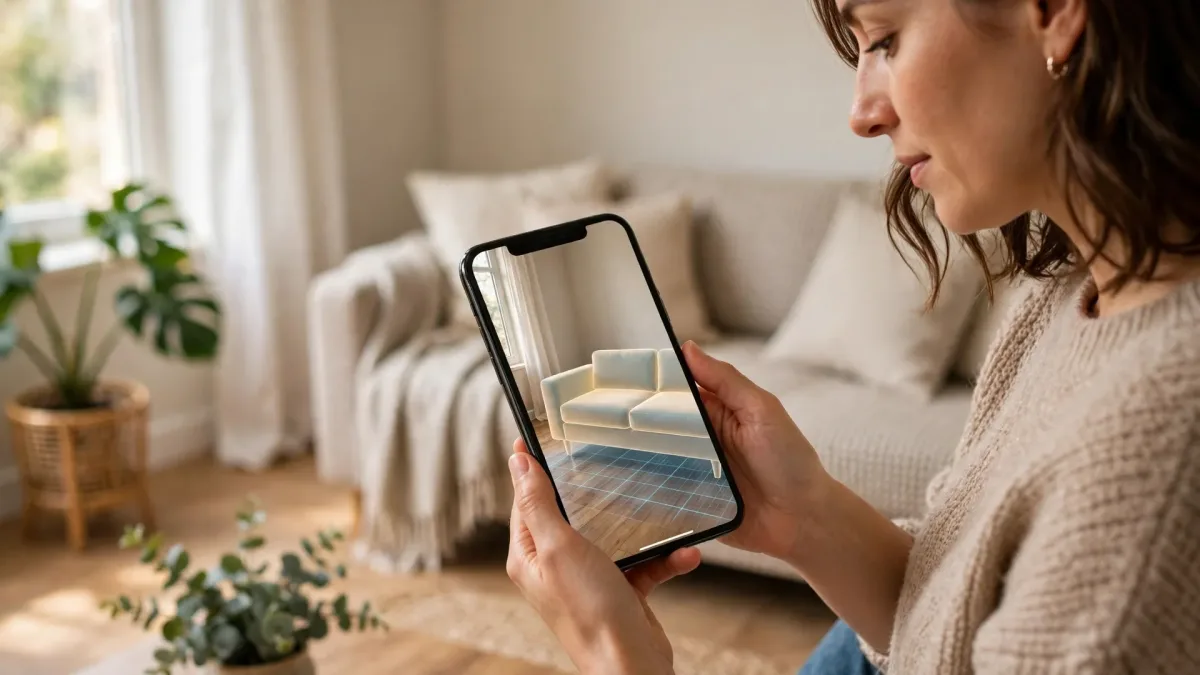
Augmented reality retail is solving the oldest problem in online shopping: you cannot touch, try, or place a product before you buy it. A shopper looking at a sofa photo must guess whether it will fit the living room. That guess is where sales are lost and returns are born. An AR shopping experience removes it. The customer points a phone camera at their room and sees the sofa at true scale, or holds the phone up and tries on the glasses. The product stops being a picture and becomes a preview, and previews sell.
The market has noticed. Grand View Research values augmented reality in e-commerce at 8.3 billion dollars in 2025 and projects 57.4 billion by 2033. In DHL's 2025 survey, 77 percent of shoppers said they were open to virtual try-on, while only 36 percent of e-commerce businesses offered try-on or fit tools. That gap is the opportunity.
Why Augmented Reality Retail Works: It Removes the Guess
Every online purchase carries a confidence gap. The shopper cannot verify size, fit, color, or proportion, so doubt fills the blanks. Doubt becomes an abandoned cart, a cheaper and safer choice, or a purchase that comes straight back. Augmented reality retail answers the shopper's real question: will this work in my space, on my face, in my life?
The evidence is consistent. Snap and Ipsos found that 71 percent of shoppers would shop more often if AR were available, and Deloitte found that 61 percent of consumers prefer retailers offering AR. Shopify reports that products with AR or 3D content convert 94 percent higher than products without it. Shoppers with better information decide faster and buy more.
The margin story matters more. Nearly half of all e-commerce returns, 45 percent, trace back to a size, fit, or color mismatch, according to research cited by NeuralWired in 2026. The average online return rate is 19 to 20.5 percent, two to three times the rate for physical stores. Industry sources report return cuts of 25 to 40 percent for products with live try-on or placement. AR's quiet superpower is fewer boxes coming back.
Which Products Gain the Most from an AR Shopping Experience
Not every product needs AR. The winners share one trait: the decision depends on something a flat photo cannot show, such as fit, scale, or shade in real light.
| Category | What AR answers | Why it matters |
|---|---|---|
| Furniture | Will it fit, and will it match the room? | Large items cost the most to return. |
| Eyewear | Do these frames suit my face? | Highest conversion lift of any category. |
| Cosmetics | Is this shade right for my skin tone? | Over 60 percent of beauty shoppers avoid buying over shade uncertainty. |
| Apparel | How does it look on a body like mine? | Online apparel returns run 30 to 40 percent, mostly fit. |
| Jewelry | What is the true size on my wrist? | Small items photograph larger than life. |
Furniture is the classic starting point, because a returned sofa can erase the margin on several good sales. Eyewear is the conversion champion: Warby Parker's virtual try-on drives a purchase rate three times higher than sessions without it. Cosmetics is about shade, and beauty brands using virtual try-on report add-to-cart lifts of 30 to 200 percent. Start where the decision is visual and the return is expensive.
Augmented Reality Retail in Practice: The IKEA Place Story
The most instructive AR retail story is also the oldest. IKEA launched IKEA Place in September 2017, one of the first apps built on Apple's ARKit. Shoppers could place true-to-scale 3D models of IKEA furniture in their own homes with a phone camera. At launch the app carried more than 2,000 products, each scaled automatically with a reported 98 percent accuracy.
Before AR, shoppers measured rooms with tape, guessed from photos, and ordered the wrong size. Large items came back, each return carrying heavy logistics costs and a disappointed customer. Industry case studies report that large-item returns dropped by up to 22 percent after AR placement, while engagement with AR features rose nearly 20 percent since 2020. One write-up reports conversion rising 90 percent for AR users. Figures vary by source, but the direction never changes: shoppers who placed the furniture first bought with more confidence and returned less.
What did the 3D asset pipeline actually take? Each product needed a model built to real dimensions, converted from CAD files or created through photogrammetry, which rebuilds a 3D mesh from photographs taken at many angles. That detailed model was then rebuilt for phones: fewer polygons, baked textures for realistic fabric and wood, and materials that respond to the room's light. Finished assets shipped as GLB for Android and the web, and USDZ for iPhone and iPad. Mobile AR guides recommend under 150,000 polygons, files of 5 to 10 MB, and textures at 2K or lower, because a slow model is a model the shopper never sees. IKEA tested in the United States, the United Kingdom, Germany, and China before scaling globally. The lesson for smaller retailers: you do not need 2,000 models, you need your twenty best sellers modeled well.
Choosing Your Build: WebAR, Native App, or Platform Tools
Three routes exist, and the right one depends on your audience and how often they will use it.
| Option | How it works | Best for | Watch out for |
|---|---|---|---|
| WebAR | AR in the phone browser, from a link or QR code. | Product pages and first-time shoppers. | Less power than native; iPhone browsers lack full WebXR. |
| Native app | A dedicated app using ARKit or ARCore. | Repeat shoppers, long sessions. | Every user must install first. |
| Platform viewers | AR Quick Look and Scene Viewer open models from the page. | A fast first step for furniture. | Simple placement only, no configuration. |
For most retailers, WebAR is the right default in 2026, because reach decides. A link reaches everyone, while an app reaches only those willing to install it, and branded app campaigns have historically converted fewer than 15 to 20 percent of interested shoppers into users. WebAR opens from a QR code or product-page button in under ten seconds. The WebXR standard reached W3C Candidate Recommendation status in June 2026, so browser AR is now a stable foundation. Native still wins on tracking precision and long sessions, so choose native only when the experience is long and complex.
A middle path exists: the free model-viewer component shows interactive 3D on the page and hands off to AR Quick Look on iOS or Scene Viewer on Android. For basic room placement, good models are often all you need. A team experienced in AR and VR development can keep tracking, lighting, and performance from becoming expensive surprises.
What Good Looks Like: Five Marks of a Great AR Shopping Experience
Good AR feels effortless. The shopper taps once, the product appears, and the decision gets easier.
- True-to-scale models. The model must match the product's real dimensions exactly. A sofa rendered ten percent too small teaches the shopper to distrust the tool.
- Lighting estimation. The model should read the room's light and match it, so shadows fall the right way and colors stay honest.
- One-tap entry. The AR button should sit on the product page where the buying decision happens. Every extra step loses shoppers.
- One-tap share. Furniture and eyewear are household decisions. Let the shopper share the preview with a partner in one tap.
- A graceful fallback. On a desktop or older phone, the same button should open an interactive 3D view to rotate and zoom.
Shoppers need the answer to one question in under ten seconds. If your AR cannot pass that test, simplify it until it can.
The Failure Mode: Bad 3D Models That Look Worse Than Photos
AR has one failure mode that kills projects quietly. A bad 3D model does more damage than no AR at all, because it replaces a trustworthy photo with an untrustworthy preview. Watch for plastic-looking materials, wrong proportions, textures that blur on zoom, and colors that shift from the real product.
The causes are usually process failures. A model built from a single photo guesses at the back and base. A CAD file converted without cleanup chokes a phone, so someone decimates it and the curves turn jagged. The fix is a quality gate: verify real dimensions, inspect the back and base, test on one iPhone and one Android phone, and compare the render with the product photo. If the model looks worse than the photo, do not publish it. A cheap-looking render means a cheap product in the shopper's mind. For more on earning trust, see this guide to product page optimization.
How to Measure Success: Conversion Lift and Fewer Returns
Measure AR like any sales tool: against revenue and returns, not applause. Set a baseline, then compare shoppers who use AR with those who do not.
| Metric | Published benchmark | Source |
|---|---|---|
| Conversion lift from AR or 3D content | 94 percent higher | Shopify |
| Return-rate reduction | 25 to 40 percent lower | Industry sources |
| Eyewear try-on purchase rate | 3 times higher | Warby Parker |
| Revenue per visitor, eyewear | 59 percent higher | Goodr, Snap data 2022 |
| Revenue per visit, furniture | 21 percent higher | CB2 |
| Conversion and order value, furniture | 36 percent higher, 88 percent higher | EQ3 |
Track four numbers: AR engagement rate, conversion of AR users versus non-users, return rate for AR-assisted orders split by reason, and time to decision. Review monthly for a quarter before judging. AR also compounds across the store, which is why it belongs in a wider e-commerce growth plan, not as a standalone toy.
A Sensible Rollout Plan for Your First AR Product Line
Start small, with the products that hurt most when they come back. Pick twenty to fifty items with high returns or high hesitation and model those first. Put the AR button where the traffic already is, add a QR code to packaging for in-store shoppers, and train staff to mention the preview when customers ask about size or fit.
Measure for six to eight weeks, then decide. If AR users convert better and return less, expand to the next category. If the numbers are flat, check model quality, load time on a mid-range phone, and button visibility. The retailers winning with augmented reality retail in 2026 are not the ones with the flashiest demos. They modeled their best sellers well and put the preview where the buying happens.
Frequently Asked Questions
What is augmented reality retail?
Augmented reality retail uses a phone or tablet camera to overlay true-to-scale 3D models of products onto the shopper's real environment. Customers can place furniture in their room or try on glasses on their own face before buying.
Does AR shopping really reduce returns?
Yes, when the models are accurate. Industry sources report return cuts of 25 to 40 percent for products with live try-on or placement, because most returns come from size, fit, or color mismatches that AR catches before ordering. IKEA reports large-item returns dropping by up to 22 percent.
Do customers need to download an app to use AR shopping?
Not usually. WebAR runs in the phone browser from a link or QR code, and AR Quick Look and Scene Viewer open models straight from a product page. A native app is only needed for complex or long sessions.
Which products work best with augmented reality retail?
Furniture, eyewear, cosmetics, apparel, and jewelry gain the most, because the decision depends on fit, scale, or shade that a flat photo cannot show. Eyewear shows the highest conversion lift, while furniture shows the largest savings from avoided returns.
How long does it take to launch AR for a product line?
A pilot of twenty to fifty products typically takes a few weeks, with most of the time going to the 3D asset pipeline: modeling, optimization, and testing on real phones. The AR integration is the smaller part when good models already exist.
What does bad AR look like, and how do I avoid it?
Bad AR means wrong proportions, plastic-looking materials, or colors that do not match the real product. Avoid it with a quality gate: verify dimensions, inspect the back and base, and test on one iPhone and one Android phone before anything goes live.
If you want a try-before-you-buy experience that sells more and returns less, start with your best sellers. Contact Skills Technology Solutions to plan AR for your store, from 3D modeling to a WebAR launch.
Related Articles
Keep reading — more guides you may find useful.



Related Services
Services connected to this guide.