
CRM WhatsApp Integration: Reach Customers on WhatsApp
WhatsApp is where Pakistani customers already talk. Learn how connecting it to a CRM turns scattered chats into a tracked sales pipeline with owners, follow-ups and full history.
Key Takeaways
- Connecting WhatsApp to a CRM moves every chat into a shared customer record with an owner and a next step.
- WhatsApp is where Pakistani customers already talk, so meeting them there shortens the path from first message to sale.
- The WhatsApp Business API adds a shared team inbox, templates and automation that a single phone cannot provide.
- Opt-in and quick, personal replies matter more than automation volume for keeping customer trust.
CRM WhatsApp integration connects WhatsApp chats directly to a customer relationship management system, so every conversation becomes part of a tracked sales record instead of sitting on one person's phone. For a small business in Pakistan, where customers message on WhatsApp before they call or email, this connection turns scattered chats into a visible pipeline with owners and follow-ups. This article explains how the connection works, what the WhatsApp Business API adds over the basic app, how a small team can set it up step by step, and the mistakes that undo the benefit. The sections below cover what the connection is, why it matters in Pakistan, how it works, the sales gains, a step-by-step setup, the mistakes to avoid and the numbers to watch.
What Is CRM WhatsApp Integration?
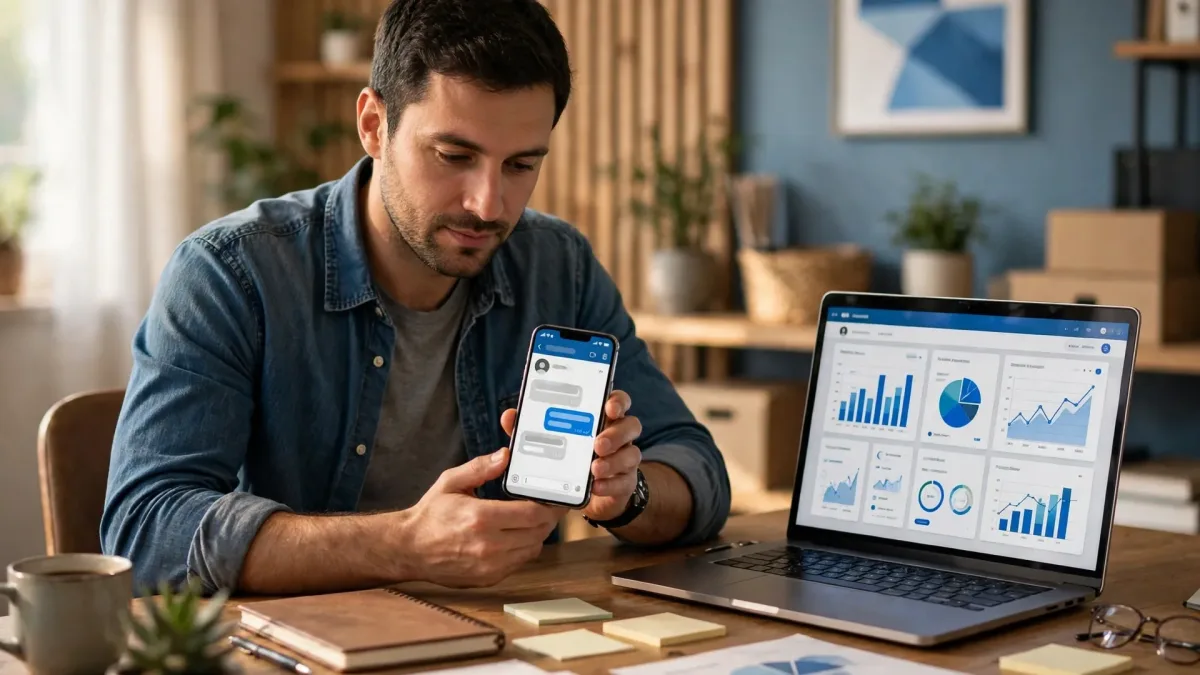
CRM WhatsApp integration is the connection between WhatsApp and a customer relationship management system that records every chat against the right customer record. When a customer messages the business number, the conversation appears in the CRM beside that customer's name, past orders and notes from the team. A new message from an unknown number creates a fresh contact record to qualify, tag and assign. Nothing stays trapped in one employee's personal phone, and no enquiry disappears when a staff member is away.
According to Meta, WhatsApp passed more than 3 billion monthly active users in April 2025, and the WhatsApp Business app alone passed 200 million monthly users in June 2023, up from 50 million in 2020. For a business, those figures mean the channel where customers already spend their time is also where buying conversations start.
There are two ways to use WhatsApp for business. The WhatsApp Business app runs on a phone, suits a single owner, and offers a business profile, quick replies and greeting messages. The WhatsApp Business API connects a business number to software instead of a phone, so a whole team can share one number and sync everything into a CRM.
Why Does CRM WhatsApp Integration Matter in Pakistan?
This connection matters in Pakistan because WhatsApp is the default way customers contact a business, ask about a product and place an order, and many small businesses run their entire sales process on WhatsApp alone. A clothing store takes orders in chat, a clinic books appointments in chat, a wholesaler confirms deliveries there. When the whole business runs through one app, the business needs it to behave like a sales system.
The problem is that a phone-based chat history belongs to whoever holds the phone. If the owner is busy, chats wait. If a salesperson leaves, their conversations leave with them. A shared inbox fixes this, because the conversation lives in the business system, not on a device.
Customer expectations point the same way. In a 2025 Kantar study commissioned by Meta, covering 11,056 adults in 22 markets, 73.3 percent of consumers said they prefer messaging when they contact a business, and 72.4 percent are more likely to buy from a brand that offers messaging. A customer who gets a consistent answer without repeating their story feels looked after, and a business that keeps that history can greet a returning customer by name. Teams that want the full picture should read about CRM and sales solutions that connect chat, pipeline and follow-up in one place.
How Does CRM WhatsApp Integration Work?
This connection works by linking a WhatsApp Business API number to a CRM, so messages flow both ways between the chat app and the customer record. An incoming message arrives in the shared inbox, the CRM matches the sender's number to an existing contact or creates a new one, and the reply sent from the CRM appears in the customer's WhatsApp as a normal message. Every message and note is stored on the contact timeline for any authorised team member to open.
Behind the scenes, a few moving parts make this possible. First, the business registers a phone number with the WhatsApp Business Platform through an official provider and verifies the business with Meta. Second, the number connects to the shared inbox, where routing rules assign new chats to the right person or team. Third, templates are prepared for order confirmations, appointment reminders and delivery updates, because Meta requires approved templates for messages sent outside an active conversation.
One rule shapes how teams reply. WhatsApp allows free-form replies while a conversation is active, and after the window closes, the business must use an approved template to reopen it. According to Will Cathcart, the head of WhatsApp, more than 100 billion messages are sent on WhatsApp every day, so a busy inbox needs search, labels and assignment inside the CRM.
What Can a Connected WhatsApp Inbox Do for Sales?
A connected WhatsApp inbox turns chat into a sales process by giving every conversation an owner, a stage and a next action. When a new enquiry arrives, the CRM assigns it to the salesperson on duty, tags it by product interest and sets a follow-up reminder. When the customer replies, the assigned person sees the full history. When the deal closes, the chat stays on the record as proof of what was agreed.
Lead capture improves because click-to-chat ads on Facebook and Instagram send a prospect straight into WhatsApp, and the CRM records that first message as a lead with its source attached. The team can see which campaigns bring real conversations. A structured sales pipeline with honest stages makes this even stronger, because each conversation can sit at the stage that matches its real progress.
Follow-up is where most WhatsApp selling fails, and where the CRM earns its place. A customer who asks for a quote on Monday and hears nothing until Friday has usually bought elsewhere. Automated reminders nudge the owner before a lead goes cold, and templates let the team send a polite check-in without retyping the same message all day. The automation handles the routine, while the human handles the conversation. A manager can also open the shared inbox and see which chats are waiting, which stops one person carrying the whole load alone.
How to Set Up the Connection Step by Step
Setting up this connection takes a week of careful work rather than a single afternoon, so the team should agree on how chats are handled before connecting the number.
- Audit the current chats first. Review recent conversations, list the most common questions, and note which chats led to sales and which were lost.
- Choose a CRM that supports a WhatsApp Business API connection, directly or through an official provider, with chat history on the contact record and assignment.
- Register a business number with the WhatsApp Business Platform through an official provider and verify the business with Meta. Keep the number stable, because customers already have it saved.
- Connect the number to the CRM and map the fields. Decide who a new chat is assigned to and which tags apply, then test with a few internal numbers before opening the connection to customers.
- Write the templates and quick replies: greetings, order confirmations, appointment reminders, delivery updates and a polite follow-up. Keep each one short, personal and specific to one situation.
- Set the routing and working hours: who answers during office hours, what the automated reply says after hours, and how urgent chats reach the right person.
- Train the team: how to claim a chat, add a private note, hand a conversation to a colleague and mark a deal as won or lost.
- Run a two-week trial with real customers, review the chats daily and fix the routing gaps before announcing the number as the main channel.
Consent deserves attention during setup: customers should agree to receive business messages, and every template should include a simple way to opt out. A business that messages only people who asked to hear from it keeps customer trust intact. The setup is not finished when the connection works; it is finished when the team follows the process every day.
Common Mistakes That Break a WhatsApp Sales Pipeline
The most common mistake is keeping sales on one person's phone after the team has grown. The phone becomes a single point of failure, and the business discovers the risk on the day that phone is lost or in the pocket of someone who has left. A shared inbox removes that risk, because the conversations belong to the business.
A second mistake is replying late with a long, generic message. Customers message because they want a fast, human answer, and a short reply that answers the actual question beats a polished paragraph that ignores it. Teams that treat first-response time as a daily habit win more chats.
A third mistake is sending broadcast messages to people who never asked for them. Broadcasts feel like spam, they train customers to mute the business, and they put the number at risk. Send updates only to customers who opted in, and keep each message relevant to something that customer actually asked about.
A fourth mistake is treating WhatsApp as separate from the rest of the business. When chats live outside the CRM, the sales team cannot see what support promised, and the customer repeats the same story to every person they meet. This is also why so many teams struggle with adoption, as explained in this guide to why teams abandon their CRM and how to fix adoption, and the fix is usually a simpler process rather than more software. A final mistake is automating too much, too soon: a chatbot that answers every question with a menu frustrates a customer who wants to talk to a person, so automation should handle greetings and order status while a human handles decisions and complaints.
How to Measure Whether the Integration Is Working
Measurement starts with response time, because speed is the clearest signal a customer notices. Track how long a new enquiry waits before a human replies. A team that answers inside the active conversation window keeps chats natural, while a team that answers days later is really starting a new conversation each time.
Next, track follow-up completion: how many enquiries received a follow-up on the day promised, and how many went quiet with no next action. A CRM makes this visible, because every open conversation either has an owner and a next step or it does not.
Then look at lead quality and conversion: how many WhatsApp conversations become qualified leads and how many become customers. Finally, read a sample of closed chats each week and note where customers repeated a question or waited too long. Small weekly fixes improve the inbox.
Frequently Asked Questions
Can WhatsApp work as a CRM on its own?
WhatsApp on its own is a messaging app, not a CRM, because it stores chats on a phone without owners, stages, reminders or reporting. Once the team grows, conversations need a CRM to track follow-ups and keep a searchable history for every customer.
What is the difference between the WhatsApp Business app and the WhatsApp Business API?
The WhatsApp Business app runs on a single phone for a small business and offers a profile, quick replies and greetings. The WhatsApp Business API connects a business number to software, so a whole team can share one number, route chats and sync every conversation into a CRM.
Do customers need to agree before a business messages them on WhatsApp?
Customers should always agree to receive business messages on WhatsApp before a business sends them marketing or notification messages. Meta requires opt-in for messages sent outside an active conversation, and every template should offer a simple way to opt out.
How do click-to-chat ads connect to a CRM?
Click-to-chat ads on Facebook and Instagram open a WhatsApp conversation when a person taps the ad. With CRM WhatsApp integration, that first message is recorded in the CRM as a lead with its source attached, so the team can follow up and track which campaigns bring real buyers.
Can a small team share one WhatsApp number?
A small team can share one WhatsApp number through the WhatsApp Business API, which gives every member access to the same inbox with assignment and notes. The WhatsApp Business app is built for one user on one phone, so a team sharing a single phone quickly runs into missed chats and lost history.
WhatsApp is where Pakistani customers already ask, compare and buy, and a business that keeps those conversations in a CRM turns everyday chats into a sales pipeline it can manage. Skills Technology Solutions, a software agency based in Rahim Yar Khan, Pakistan, serving clients in Pakistan and the UK, can help you put this into practice. Contact our team to discuss your project.
Related Articles
Keep reading — more guides you may find useful.
Related Services
Services connected to this guide.